Solo product · alongside IBM · since Jun 2026
KnotCMS
Notion → Framer CMS
- Live product
- Solo built
- Paying customers
Notion becomes a Framer CMS, kept in sync.
- Live
- Founder / engineer
- Production SaaS
- Notion
- Framer CMS
- Cloudflare Workers
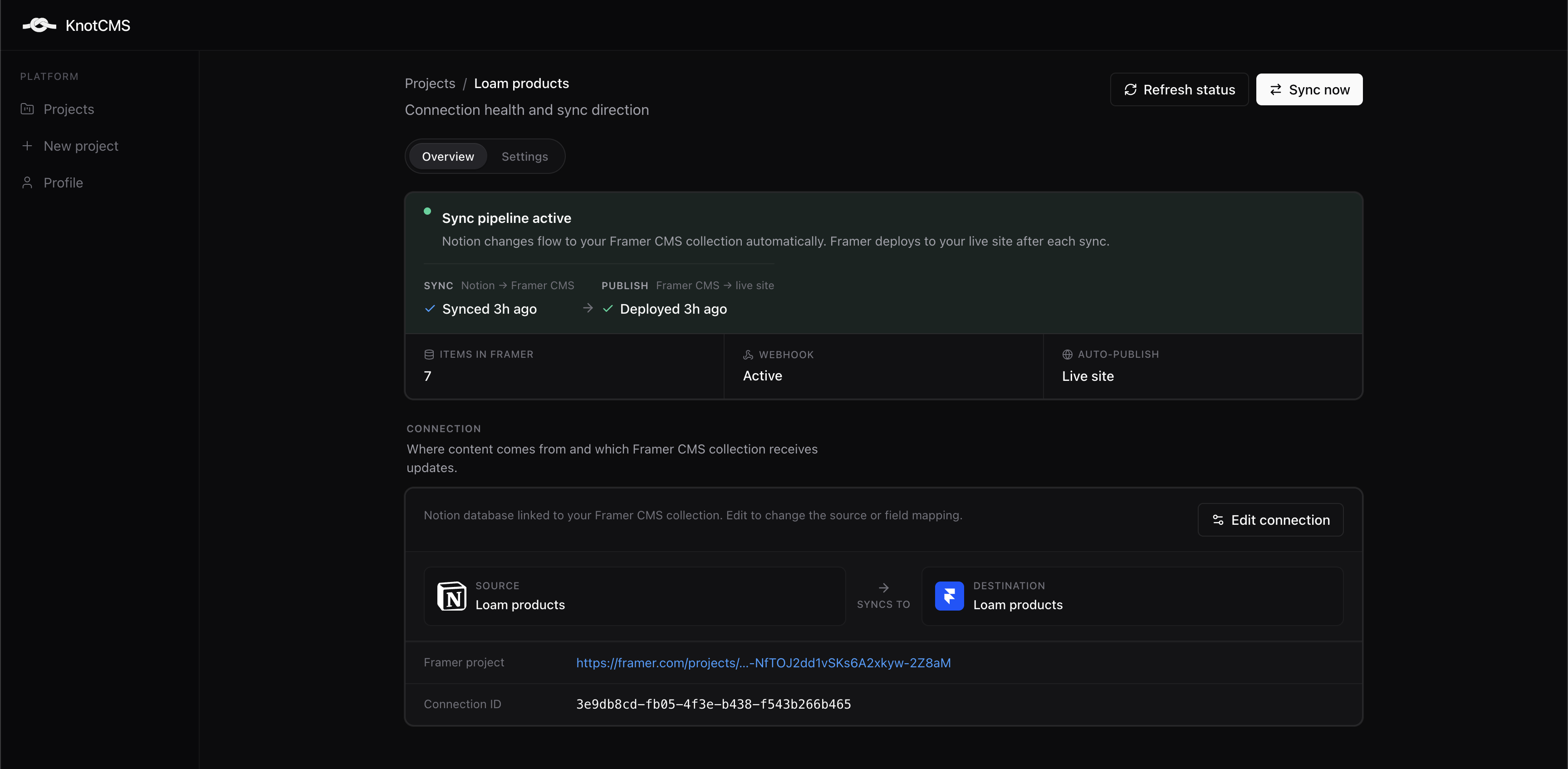
Sync status
01 / System
What it does
- Notion
- KnotCMS sync
- Framer CMS
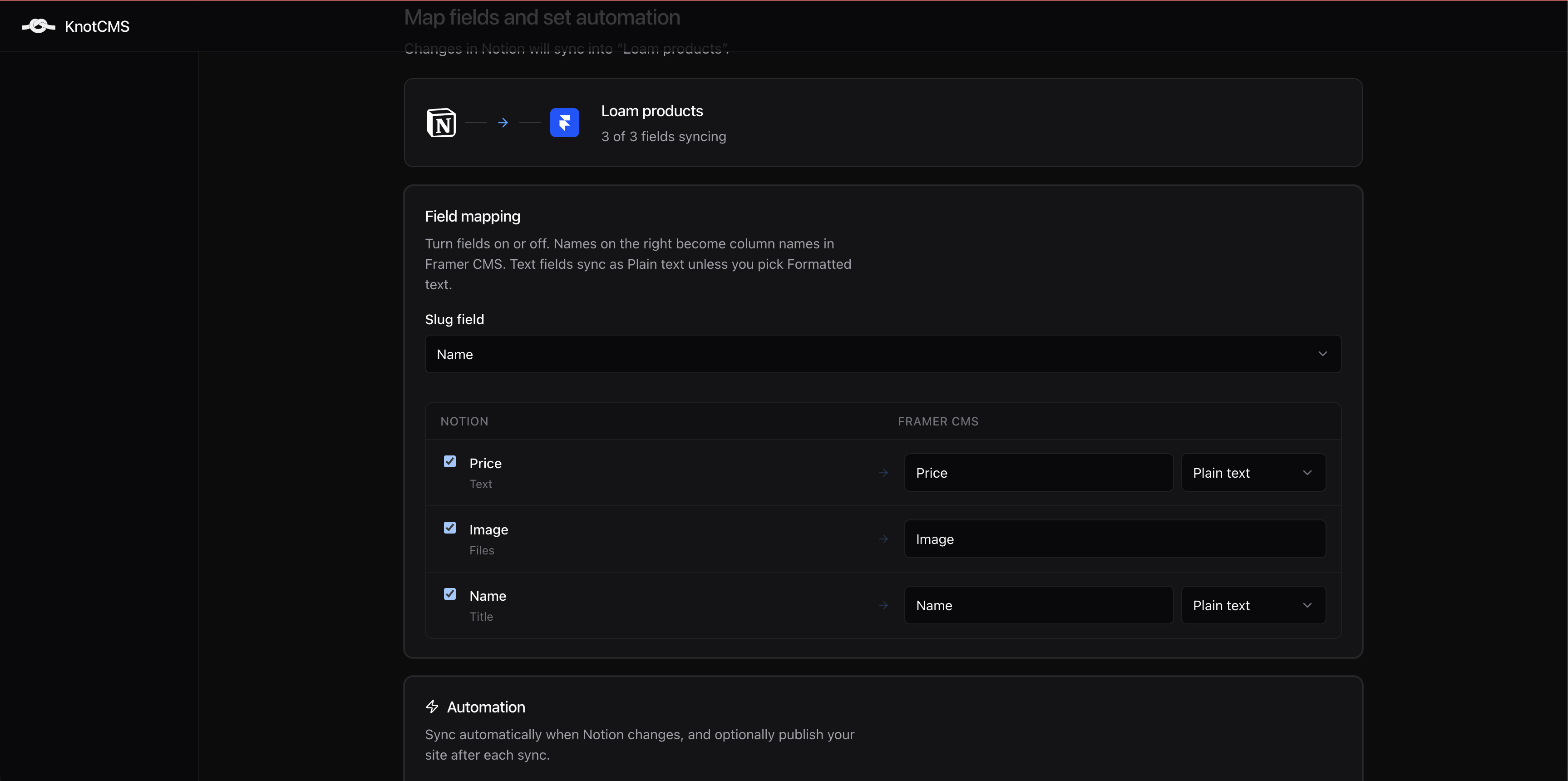
Framer's CMS has no way to stay in sync with an external source of truth. Writers keep content in Notion, then copy it into Framer by hand every time it changes. KnotCMS connects a Notion database to a Framer collection, maps the fields once, and keeps them in sync from then on. Auth, billing, webhooks and support are all mine.
Field mapping
02 / Architecture
Event-driven Workers
Event-driven · Cloudflare
- External system
- Sync engine
- State / retry
- Product surface
Event-driven Workers, D1 for state, KV for sync cursors, queues for retries, OAuth against Notion and Framer.
- Notion database
- KnotCMS sync
- D1 / KV
- Queues
- Framer CMS
- Retries / webhook recovery
03 / Constraint
What the system had to handle
- CPU time limit
- Subrequest cap
- Rate limits
- Async work
- Retries
- Ordering
- Idempotency
- Backpressure
Why this runs on Cloudflare Workers, and what that costs.
Workers have hard per-request limits: CPU time, and a cap on outbound subrequests. A sync is fundamentally "read N rows from Notion, write N items to Framer", so the work scales with the user's table size while the runtime budget stays fixed. That tension is the whole engineering story.
04 / Failure
Where it broke
7,000 rows
Workers subrequest fan-out failure
- Requests failing with a CPU limit exceeded error, and nothing more specific than that.
- A single sync invocation issuing more outbound calls than a Worker invocation is allowed to make.
- Stress testing surfaced the failure at around 7,000 rows. The error named the limit, not the fan-out behind it.
Stress testing surfaced a failure at around 7,000 rows. The cause was subrequest fan-out: a single sync invocation issuing more outbound calls than a Worker invocation is allowed to make.
What I actually saw was not much. The Cloudflare dashboard showed the requests failing with a CPU limit exceeded error and nothing more specific than that. The error named the limit, not the fan-out behind it.
05 / Fix
The fix
- Notion
- Worker
- Many subrequests
- Failure
- Notion
- Sync
- Queues
- Batched work
- Framer CMS
- Move sync work out of request fan-out
- Workers subrequest limit
- Queues + batched invocations
- Reliable sync
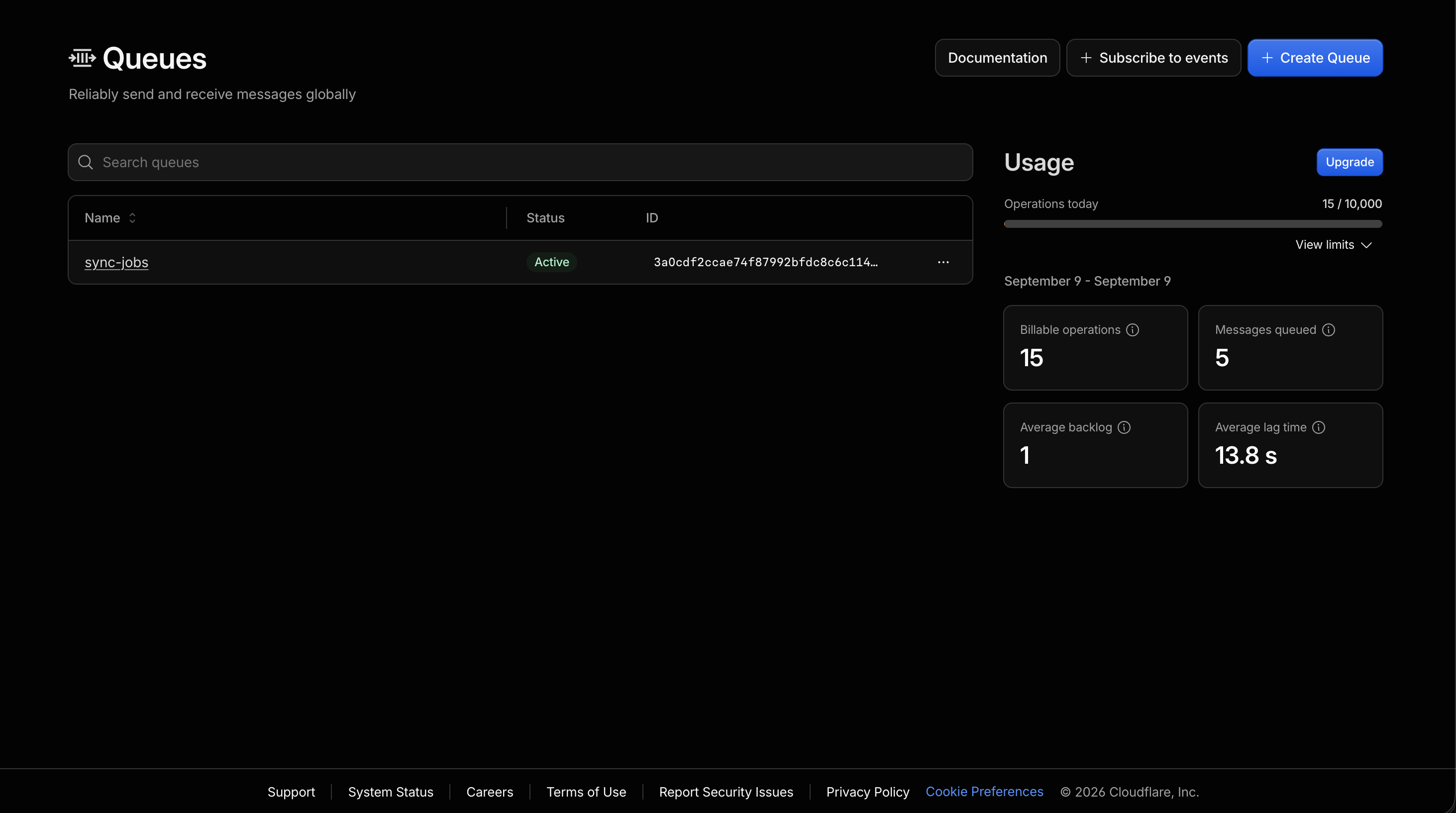
Moved the sync out of the webhook request and onto Cloudflare Queues. The handler now verifies the signature, records the event, drops one message and returns in milliseconds, so Notion gets its 200 immediately. A consumer picks the message up in its own invocation with a 15-minute wall-clock budget instead of an HTTP request's, plus retries. A message is one project, not a chunk of rows: the consumer waits out the ten-second quiet window, then pages the Notion database 100 rows at a time and writes to Framer in one remove and one add. The bound moved from an HTTP request to an invocation; it didn't disappear. Tested envelope: 5,000 rows in about three minutes.
05.1
Collapsing bursts, at both ends
Content editors don't make one edit. They make twenty, then stop. So bursts get collapsed twice.
Before a run, each new edit restarts a ten-second quiet window, so twenty edits produce one sync.
During a run is the harder case, and the first version got it wrong. A sync reads Notion at its start, so an edit made mid-run isn't in that run. The queued message for it found the project lock held, treated that as non-retryable, and acked. The edit was gone with no error anywhere, and Framer stayed stale until someone happened to edit again.
The fix isn't to retry. Retrying means every mid-run edit becomes its own retry storm against a lock that's still held. Instead, a message that finds the lock held sets a follow-up flag and acks. The set is conditional on the lock still being held, so it's atomic with the holder's release: either a live holder gets flagged, or the lock is already free and the message just runs the sync itself. When the holder finishes, it releases the lock, consumes the flag, and enqueues exactly one follow-up.
Twenty edits during a three-minute sync produce one follow-up sync, not twenty. Same guarantee as the quiet window, at the other end of the run.
05.2
Retries
Each Framer call retries up to four times on transient errors with backoff. An add that fails on a remote image is retried without the image values, so the text still lands. A transient failure of the whole run is retried five times, a minute apart. Auth, plan-limit, schema-mismatch and slug-collision errors are non-retryable and surfaced rather than retried.
There's no partial batch to re-run. A sync is one reconcile, and a retry re-runs all of it. That's safe because writes are keyed, by Notion page id for managed collections and by slug for user collections, so running the same reconcile twice leaves the collection in the same state as running it once.
05.3
Making the wait visible
The lock was also wrong: it expired after three minutes while a 5,000-row sync takes about three minutes, so two syncs could overlap on the same project. TTL now matches the consumer's 15-minute budget, with release in a finally and the TTL only as a crash net.
The last piece is UI. A coalescing flag is invisible internal state, and invisible state is how the original bug survived. So the project card now shows a yellow callout while a follow-up is queued: “New Notion edit queued during the run”, or “A Notion edit is waiting” if a crashed run left a flag behind. Both clear themselves on the next poll.
That's the part worth keeping from all of this. The queue change was architecture. The callout is the reason a user can tell the difference between working and stuck.
Cloudflare Queues
06 / Production
Where it stands now
- Live
- Paying users
- Subscriptions, self-service
- Production
| Tested up to | Time at that size | |
|---|---|---|
| First sync | 5,000 rows | ~3 min |
| Auto sync | 3,000 rows per trigger | ~3 min |
First sync pulls the full table, so it runs longer than an auto sync of the same size. Auto sync has a lower ceiling because it runs on the webhook path with a tighter budget.
07 / Real usage
The first user
User → Problem → Diagnosis → fix → Product change → Outcome
The first paying user was a designer at a small studio, setting KnotCMS up for a client. Front-end skills, not a developer, by their own description, which is exactly who the product is for. They got stuck before the first sync: the setup guide still said Integrations where Notion now says Connections, the webhook option was not where the guide pointed, and the page had no help link. I replied with the steps and screenshots within two hours and rewrote the guide the same day.
That was the easy part. The thread ran to twenty-nine emails over twelve days, and they hit six more walls. A verification token that seemed to vanish. A sync that reported success while Framer stayed untouched, which only cleared after starting over with a fresh collection. A slug setting that hyphenated the title field as well as the slug. A reconfigure screen that could not find the only database they had shared. Text fields landing as rich text when they needed plain. And, after all of that, auto-sync silently not firing.
Three of those were bugs, and each fix shipped in under two days: the field chosen as the slug source is left alone, reconfigure lists the current database and lets you add columns, and every text field can be imported as plain or rich. The auto-sync one was a docs step, granting the connection content access, and the honest part is that I had skipped that step in my own testing too. If the person who built it can miss a step, the step is a product problem, not a user problem.
The last thing they reported is the one I keep coming back to. Auto-sync was finally working, but the project page only checked for updates once, when it loaded. Leave it open and Last Sync never moved, so a working pipeline looked stuck. I fixed the polling, renamed “Refresh” to “Refresh Status” because they said sync and refresh sounded like the same thing, and sent them a recording of the statuses updating live.
Between the bug reports they wished me luck with signups. Most of what I changed in those twelve days was not the sync engine. It was the parts a user can see.
08 / Judgment
What I'd do differently
Engineering retrospective
01
Watch someone else do the setup before launch
Every wall the first user hit was in onboarding, not the engine. The guide said Integrations where Notion now says Connections. The content-access step was easy to skip, and I had skipped it myself in testing. I tested on my own workspace, where everything was already connected, so none of that was visible to me. One session watching a designer set it up on a fresh workspace would have caught most of it before a paying customer did.
02
Start from the principle I ended with
The fix section above says invisible state is how the original bug survived. That lesson arrived after three separate silent failures: mid-run edits dropped without an error, a lock that let two syncs overlap, and a Last Sync that never moved because the page only polled once. Each got its own fix. If I had treated every piece of internal state as something a user might need to see, they would have been one design decision instead of three bug reports.
03
Instrument the sync before stress testing it
When the 7,000-row sync failed, the dashboard told me a limit had been exceeded and nothing else. I had to work out the fan-out from first principles. A sync that logs rows read, subrequests made and time spent would have named the problem in one line. The lock TTL was the same mistake in miniature: I set it to three minutes because it sounded reasonable, and a 5,000-row sync takes about three minutes. Limits should come from measured numbers, not round ones.
Questions about this, or about what I could build for you.
Start a conversation